A Dimplex logo on the fireplace and a familiar-looking handset do not make a remote compatible. Dimplex’s current site has separate remote products for families such as Vital Spark, Vital Linear, BF Series, Revillusion and Sierra. An official Sierra service manual goes further: it assigns one remote part number to MOD 0 and another to MOD A within the same SIL model family.
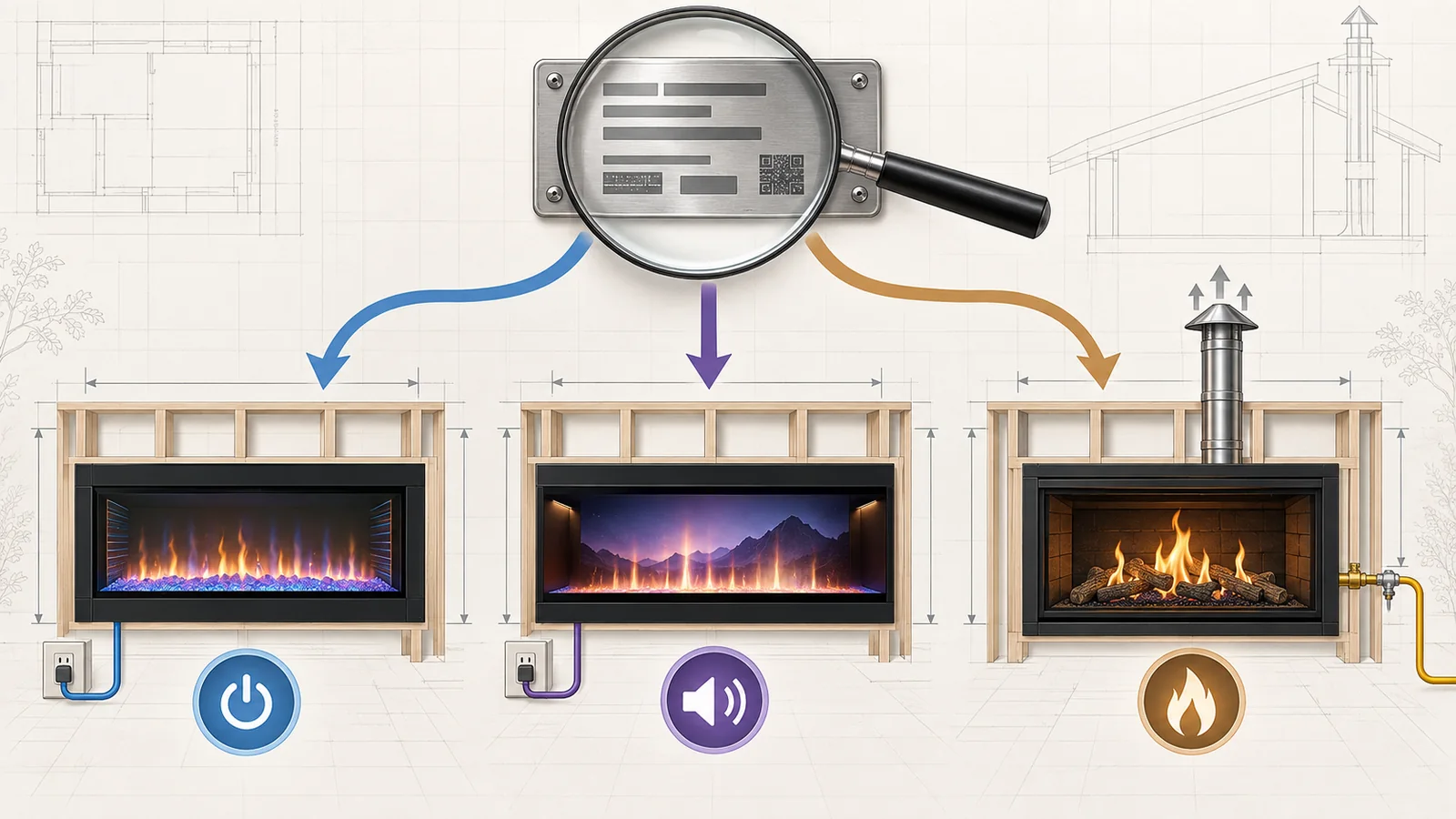
Start with the fireplace label, not the remote. Copy the full model, serial number and MOD level if one is printed. Those fields lead to the controlling manual and replacement-parts record; the handset’s shape is only supporting evidence. This order also prevents a battery or model-specific reinitialization issue from turning into an unnecessary purchase.
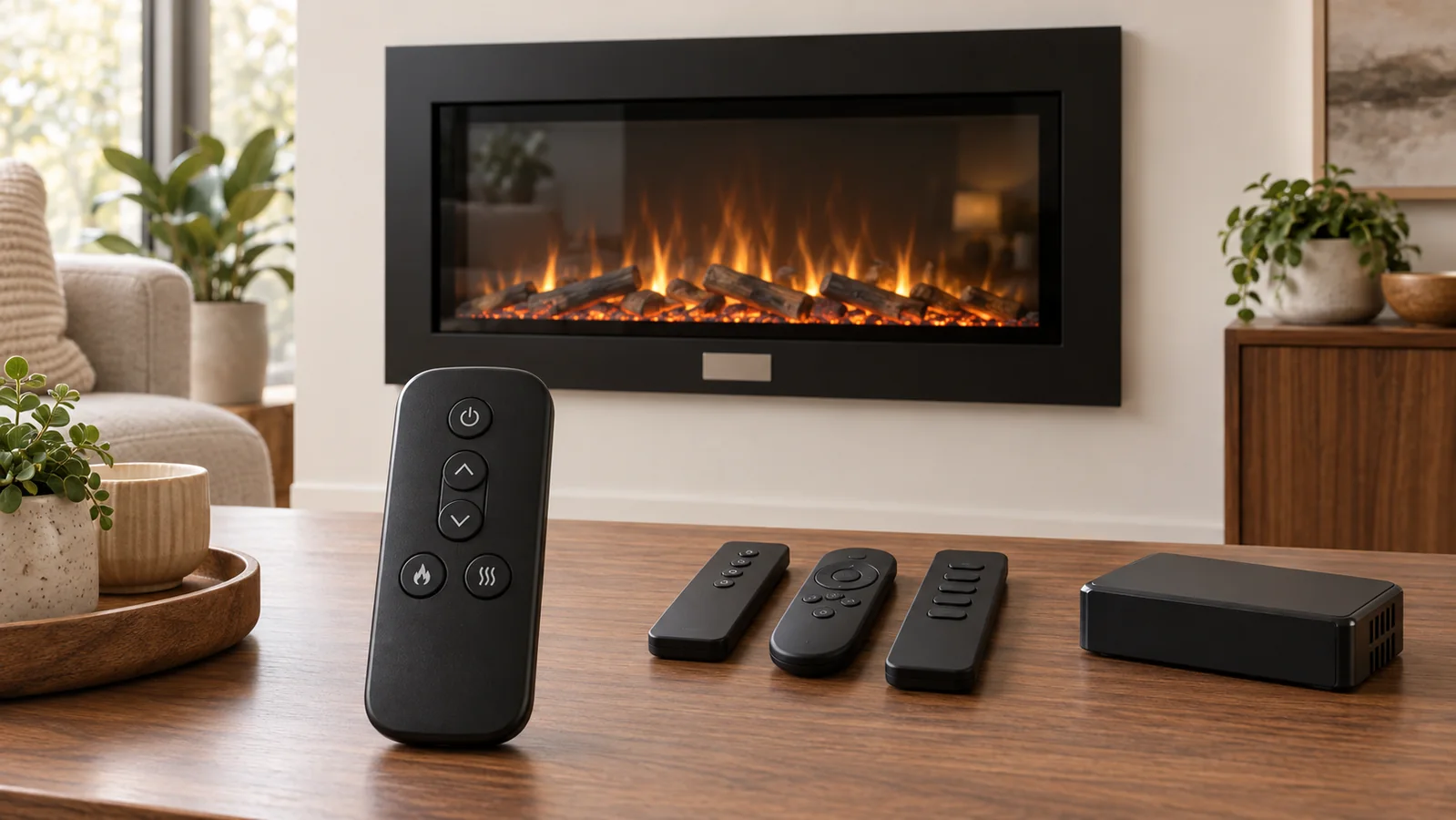
The illustration makes that mismatch visible. Several black remotes can look plausible beside the same fireplace, while the correct branch may depend on information hidden on the unit label and in its manual.
Dimplex is a brand, not a remote part number
Dimplex’s current replacement-parts page invites owners to order a new remote, but the same support area also provides a model/serial-number locator and a route to an expert. That combination matters. It presents the remote as a model-bound part, not a universal accessory.
The brand narrows the search to one manufacturer. The family name narrows it again. Neither necessarily identifies the installed revision. Use the strongest evidence available and stop when the next field is missing.
| Evidence you have | What it can establish | What it cannot establish | Next admissible move |
|---|---|---|---|
| Dimplex name only | Manufacturer/support family | Fireplace model, generation or remote | Find the rating/model label on the unit |
| Product family, such as Revillusion or Sierra | Relevant document and parts branch | Inclusion of every size, suffix or MOD | Match the full model on an official document |
| Full model and serial | Exact unit identity for document search/support | A MOD-dependent part when MOD is absent | Record the printed MOD level or ask Dimplex |
| Full model, MOD and controlling manual | Applicable operation and parts context | Current stock or an unstated substitute | Verify the exact remote part/product with Dimplex |
| Remote photograph or button layout | Visual comparison only | Radio/control protocol or receiver compatibility | Do not order by resemblance |
| Explicit Dimplex compatibility for the exact model/MOD | Supported replacement branch | Whether the receiver also has a fault | Complete the manual check, then order or escalate |
Dimplex’s product-resource search accepts a model number, product name or series. If it returns only near matches, use the site’s electric fireplace manual guide to compare model scope, market and document purpose instead of selecting the closest title. A current product manual and a service manual can answer different questions; neither should be transferred from a similar-looking model. The electric fireplace specifications guide keeps model, electrical and control fields attached to that exact document identity.
The site’s broader electric fireplace remote guide handles the same principle across brands. Here, the extra Dimplex-specific field is MOD: it can divide one familiar model line into different service parts.
MOD can change the remote without changing the familiar model line
MOD means modification level in Dimplex’s service material. It is not a marketing nickname and should not be guessed from the remote’s appearance. Dimplex’s current product-registration form records Product Series, MOD Level, Model Number and Serial Number as separate fields, which is a useful model for a replacement request.
The clearest counterexample comes from Dimplex’s official Sierra SIL48/SIL60/SIL72/SIL96 service manual. Its replacement-parts list assigns remote control part 9602110200RP to MOD 0 and 9602332800RP to MOD A. The family name “Sierra” and even the SIL model range are therefore not the whole compatibility key.
This is not a claim that every Dimplex model has two remote revisions. It proves a narrower and more useful point: when the controlling document distinguishes MOD levels, the MOD value must remain attached to the remote part. A retailer title that says “fits Sierra” but omits that distinction has not yet closed compatibility.
Copy the label exactly, including letters, hyphens and suffixes. If the unit is installed inside a mantel or media console, use the model label on the electric fireplace rather than the furniture item number. If safe owner access to the label is unclear, use the Dimplex locator or support route; do not remove panels merely to complete a shopping form.
When no MOD appears on the label or controlling owner document, record MOD not shown. That is better than silently turning the unit into MOD 0. Dimplex can then confirm whether the field is not applicable or whether another identifier is needed.
A silent handset has not earned a replacement yet
A non-working remote describes a symptom, not a failed part. Dimplex’s electric-fireplace technical support page says to check that the remote batteries work and then follow the reinitialization process in the owner’s manual. It directs owners to retrieve that manual by model number rather than publishing one brand-wide sequence.
Keep the test equally narrow. Use the battery type, orientation and reinitialization steps printed for the exact model. Do not borrow a button combination from a video, marketplace answer or another Dimplex family. For example, a current Revillusion family guide specifies its own remote orientation, battery and owner/service boundaries; those details belong to the models listed in that guide, not to every Dimplex fireplace.
Before and after the documented check, record only observable behavior:
- Does the fireplace respond to its onboard controls?
- Does the display or indicator change when the documented remote command is used?
- Did the handset work previously with this exact unit, or is it an unverified replacement?
- Which exact battery and reinitialization steps were completed from which manual revision?
These notes make a support conversation more efficient, but they do not diagnose the receiver. If the fireplace responds at the panel while the remote does not, the control path has been narrowed; it has not been proven which component failed.
Read every remote page as a compatibility claim
A remote product page should be read for inclusion, not resemblance. Dimplex’s current site exposes distinct Vital Spark, Vital Linear, BF Series and Revillusion remote products in its replacement-parts search. It also has a page specifically titled replacement remote control for Sierra SIL Series. The existence of those separate pages is evidence against a one-remote-for-Dimplex assumption.
For a candidate remote, save five things: the exact product/part name, part number if published, every included model or series, every exclusion or MOD condition, and the source date. Then compare the included model string with the fireplace label character by character. “BF Series,” “SIL Series” or “Revillusion” is useful only to the level the current owner page or manual defines it.
Do not let a retailer’s compatibility list outrank a contradictory Dimplex manual. Retailer data can help locate a candidate or current seller, but Dimplex’s exact product, parts document or written support confirmation should close the match. If the first-party page is family-named but the official service manual splits that family by MOD, keep the stricter condition.
Current and retired status are another branch, not a quality judgment. Dimplex maintains a retired-product download finder alongside its current resource finder. An old model may still have a usable owner or service document, but that does not prove that a current remote product supersedes its original part. Record the original part first, then ask whether Dimplex recognizes a current substitute.
For family-level purchase decisions before a specific remote is needed, the Dimplex Revillusion guide and Dimplex Ignite XL guide retain those separate product choices. This page does not compare their flames, installation or control features; it starts after the installed unit must be matched to a remote.
The receiver branch belongs to service, not guesswork
Dimplex technical support lists several possible next states after the owner-manual check: the remote may need initialization, the remote may need replacement, or the remote receiver may need attention. Those are alternatives, not instructions to open the fireplace.
The receiver is part of the appliance’s control system. A remote listing cannot prove that the receiver is healthy, and a working onboard panel cannot prove the transmitter is the only remaining cause. Radio interference, initialization state, the handset and the receiving side remain separate possibilities until the exact service information or Dimplex support resolves them.
That creates a clean stop rule. If the exact manual’s owner steps succeed, no part is needed. If Dimplex confirms the remote for the exact model/MOD, the replacement branch is open. If the manual steps fail and the remote-versus-receiver state remains ambiguous, stop shopping and use the service route. The site’s electric fireplace repair guide helps separate warranty, recall, qualified service and whole-unit replacement without turning uncertainty into a repair tutorial.
Do not disassemble the firebox, probe a receiver or move wiring to decide which branch is correct. An official service manual may describe technician work while still being the right source for a part number. Document authority and permission to perform the procedure are different questions.
Give Dimplex a unit record, not a remote photograph
Dimplex’s parts FAQ says replacement-parts lists and troubleshooting guides are in the Parts and Service Manual and asks owners contacting customer service to include the model and serial number. A useful request adds the MOD and observed control behavior when those are relevant.
Send one compact record:
- Full fireplace model, serial number and MOD exactly as printed.
- Product family and whether the matching document came from the current or retired Dimplex resource owner.
- Manual title, revision/file identifier and the model scope printed inside it.
- Whether the original remote is present, previously worked with this unit, or is already a replacement.
- Battery and reinitialization steps completed from that exact manual, with the observed result.
- Candidate remote page and part number, including any model/MOD wording that needs confirmation.
- Whether the onboard controls respond, stated as an observation rather than a receiver diagnosis.
Ask a closed question: “Does remote part ___ support model ___, MOD ___ in the US market, or does this unit require a different remote or receiver/service path?” That gives Dimplex a compatibility decision to answer instead of a photograph to interpret.
The record ends in one of four useful states: the owner-manual check restores control; Dimplex confirms an exact remote; the retired document identifies an original part but a current substitute still needs confirmation; or the unresolved receiver branch moves to support/service. Even the last state protects the purchase: it names the missing authority instead of letting a similar black handset stand in for compatibility.