Two fireplaces can both carry a “smart” label and still give their owners very different products. One may connect through 2.4 GHz Wi-Fi and a cloud account. Another may use Bluetooth for the app. A third may require a particular remote generation and firmware before its voice integration is eligible. The badge does not reveal which model, document or fallback proves any of that.
Choose a smart electric fireplace only after one exact product record closes six fields: model and revision, connection protocol, network or mobile requirements, official app and account, named voice commands, and controls that remain available without the app. If basic flame or heat control is not documented on the appliance or supplied remote, treat the app as a dependency—not a bonus.
The useful comparison is therefore not “smart versus not smart.” It is one complete control path versus another. Every fact in that path has to belong to the same fireplace model. A collection page can identify a platform; it cannot prove the local buttons, remote functions or software requirements of an item with a different manual.
“Smart” hides a chain of separate controls
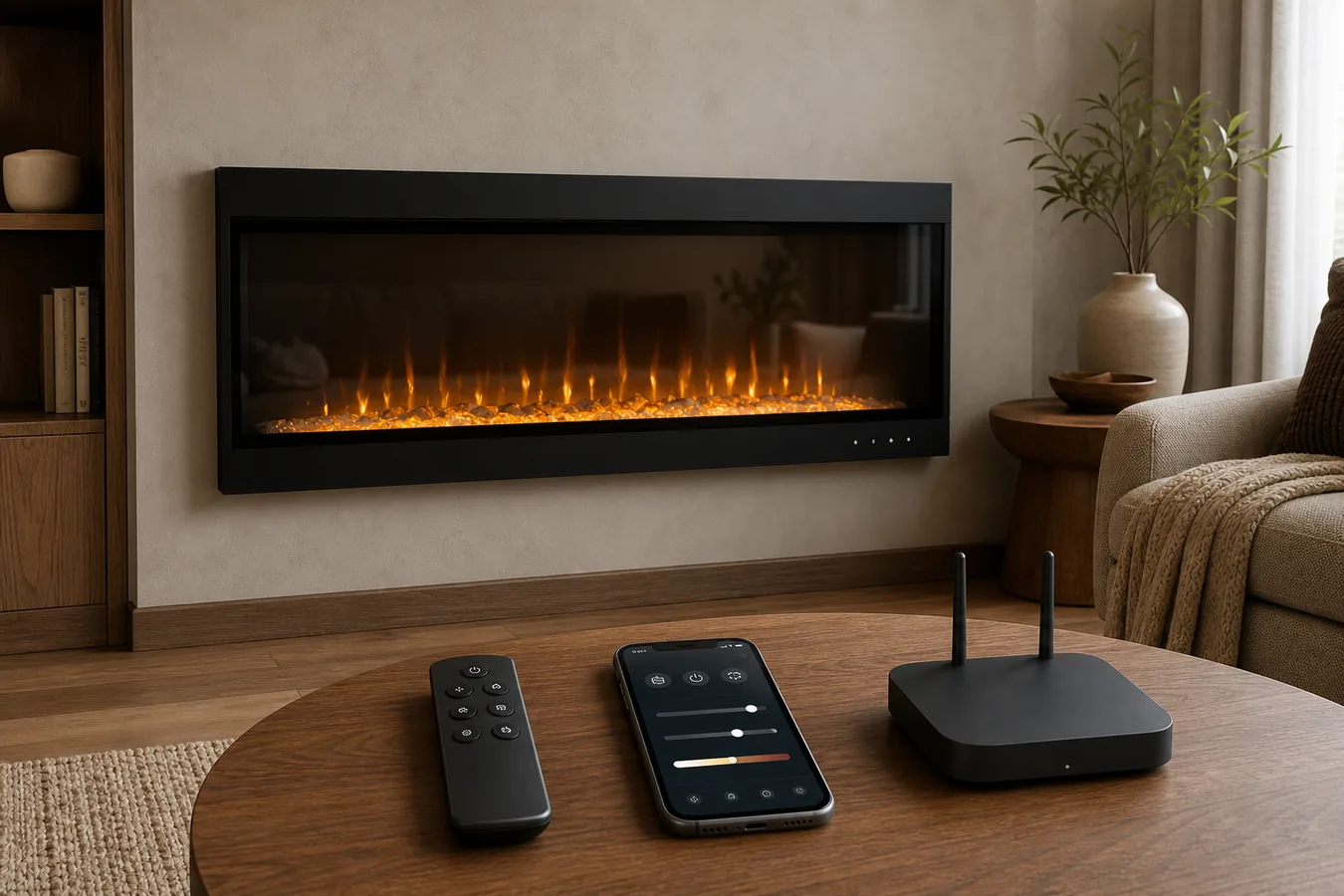
A phone does not necessarily talk straight to the fireplace. Depending on the exact product, the path may include Bluetooth, a home Wi-Fi network, a manufacturer or third-party app account, a cloud service and then a voice assistant. Each added link can create a setup or ownership requirement that is invisible in a product-grid badge.
Start at the appliance label and work outward. Record the complete item or model number and the current manual. Then locate the manufacturer’s compatibility or setup owner. That source should state the protocol, app and any product-generation boundary. Only after those agree should an assistant logo or app-store image count as evidence.
Touchstone shows why the document matters. Its current smart-fireplace setup page separates eligibility by product information, while an exact setup PDF for item 80049 names TuyaSmart and a 2.4 GHz Wi-Fi path. Those documents can both be useful without being interchangeable. The older exact-model instruction belongs with that item; the current setup path belongs only to the products it says are eligible.
If a seller lists “Wi-Fi enabled” but omits the item number or links no matching instruction, the model is not ready for the smart-control shortlist. That is a documentation gap, not permission to borrow an app from a visually similar fireplace.
The fallback decides whether smart is useful or fragile
List the controls in the order you would still value them if the phone were unavailable. The result tells you whether the app adds convenience or carries an essential function.
| Control layer | Evidence to capture | What it can prove | If the field stays unknown |
|---|---|---|---|
| On-appliance controls | Manual page showing the physical panel and named functions | Which basic flame, heat or power actions remain at the fireplace | Return LOCAL_FALLBACK_REQUIRED. |
| Handheld remote | Included remote identity and function table for the model | Which room-level controls do not need the phone | Do not assume a generic replacement will work. |
| Phone app | Official app, protocol, account, mobile requirements and eligible model | The documented app functions at the observed version | Return SOFTWARE_REQUIREMENT_UNRESOLVED. |
| Voice assistant | Supported assistant and manufacturer-published command examples | Only the named commands, not every app feature | Return VOICE_SCOPE_UNCLEAR. |
| Update ownership | Who holds the account and phone, and how firmware/app updates are handled | The household can maintain the documented path | Keep the candidate open rather than calling setup complete. |
A documented local fallback does not prove that the app is reliable, private or permanently supported. It answers a narrower and more useful buying question: whether normal fireplace control still has another published path. If replacing a lost remote later becomes the problem, move to the exact-model remote replacement process; do not let the app question turn into a generic remote order.
Three current systems require three different records
Current manufacturer owners show that “smart” is not one architecture. The rows below are examples of how to capture differences, not a ranking of brands or a claim that every product in each brand uses the same system.
| Documented system | Eligibility and connection | App, users and software | Documented fallback | Purchase consequence |
|---|---|---|---|---|
| Touchstone smart setup | Match the current setup owner’s product boundary. Exact item 80049 instructions specify 2.4 GHz Wi-Fi. | The exact 80049 PDF names TuyaSmart; the current setup owner can assign another current path to eligible products. | Current Wi-Fi collection language includes remote and touch-panel control, but functions still need the exact manual. | Save the item number and the setup document that actually names it. |
| Dimplex Flame Connect | Current app owner uses a supported mobile device, Bluetooth and location context; exact product eligibility still matters. | Account, owner/secondary/guest roles, one active controller, up to four paired devices and firmware updates are documented. | The exact PLF3614-XS manual documents hidden touch controls and an IR remote as well as the app. | Pair platform rules with the chosen model manual and decide who owns the household account. |
| Escea SmartHeat | Current US page includes LR/LRFS families and limits LE/LEFS compatibility to MK2 products; remote type also matters. | Current eligibility calls for SmartHeat app 1.5.2 or later and fireplace firmware 2.1.0 or later. | The compatible remote requirement is part of eligibility, not an interchangeable accessory promise. | Record model generation, app, firmware and remote together before accepting Alexa or Google support. |
The current Dimplex Flame Connect app owner makes household roles and paired-device limits visible; the exact manual supplies the missing physical controls. Escea’s SmartHeat compatibility page makes product generation, app version, firmware and remote type visible on one owner. Those are different records because their systems expose different controlling facts.
This is also why a brand guide should not absorb the task. The Touchstone fireplace guide routes wall type and product family to an exact item and manual. This page begins after a candidate advertises smart control and asks whether the complete control chain is supportable.
Voice control is only as broad as its published commands
Assistant compatibility is often displayed as a logo, but a logo is not a function list. A manufacturer may publish commands for turning a supported fireplace on or off, changing a flame setting or controlling heat. That does not prove that every color, timer, thermostat or media setting in the app has a voice equivalent.
Write down the commands the manufacturer actually demonstrates for the exact eligible path. Then mark each desired action as named, app-only, local-only or unknown. If “set my preferred flame scene” is important and the owner documents only power and temperature commands, the assistant still has value—but it does not meet that requirement.
Do not assume voice control survives when the network, account or app path is unavailable. Unless the manufacturer’s current instructions explicitly describe an independent route, treat the assistant as an upper layer on the same connected system. The physical controls and remote remain the separate fallback question.
Room naming is another practical boundary. Published command examples depend on the device and room name used during setup. A household that expects two similar fireplaces, multiple users or shared voice control should verify how the chosen ecosystem distinguishes them before treating voice as the primary daily control.
Accounts and updates become part of ownership
A smart fireplace arrives with work that an ordinary remote does not create. Someone has to own the app account, keep access to the recovery email, maintain a compatible phone and decide who can add or remove other users. If a future tenant, caregiver or family member will control the fireplace, “works on my phone” is not a complete handoff plan.
Dimplex currently distinguishes owner, secondary and guest users and limits active control and paired devices. Escea currently places version and firmware conditions in the compatibility path. These are not reasons to reject either system. They are evidence that sharing and updates are product specifications with household consequences.
Capture the mobile operating-system minimum where the owner supplies one, but do not turn a minimum into a promise of future compatibility. Record the app version and source date. For firmware, identify whether the app performs the update and who is responsible for keeping the device available during it. If that owner cannot be named, the candidate has an unresolved maintenance field.
Network changes deserve the same treatment. A documented 2.4 GHz setup requirement is not a statement that every router configuration will pair successfully. It tells you which network condition must be available and which support document to keep. Pairing speed, connection reliability, privacy and security require separate evidence and are not inferred here.
A smart badge earns its place in one accepted row
Put one candidate—not a brand family—through the record below. Copy identifiers and requirements from current first-party owners. Do not fill a blank with a seller’s feature icon.
| Record field | What to enter | Accept when | Hold result |
|---|---|---|---|
| Product identity | Brand, full model/item number, market and current manual/setup revision | All later evidence names or explicitly includes that identity | MODEL_OR_REVISION_REQUIRED |
| Connection | Wi-Fi band, Bluetooth or other stated protocol and required device/network conditions | The household can supply the documented path | SOFTWARE_REQUIREMENT_UNRESOLVED |
| App and account | Official app, account owner, OS/app/firmware minimum and current source date | One person can own and maintain the complete path | SOFTWARE_REQUIREMENT_UNRESOLVED |
| Voice scope | Assistant plus the exact published commands that matter to the household | Required actions are named, not inferred from a logo | VOICE_SCOPE_UNCLEAR |
| Local fallback | On-appliance and supplied-remote functions from the exact manual | The household’s essential controls have a documented non-app route | LOCAL_FALLBACK_REQUIRED or APP_ONLY_RISK |
| Physical and power facts | Separate exact-model dimensions, installation, circuit and heat requirements | Smart control has not displaced the ordinary product decision | Return to the missing physical or electrical owner. |
The last row prevents a common category mistake: an appealing app cannot make the fireplace fit the wall or power path. Use the electric fireplace specification fields for the broader product identity, and resolve an undecided connection through the plug-in versus hardwired decision. Smart capability does not settle either one.
A candidate reaches CONTROL_PATH_VERIFIED only when every required field closes for the same model and the household accepts the documented fallback. Otherwise, keep the exact hold beside the product: missing revision, unresolved software requirement, unclear voice scope or inadequate local control. That short record is more useful than a long feature list because it tells you whether this particular smart fireplace is ready to order.